01
Bitcoin tax, finally without the spreadsheet
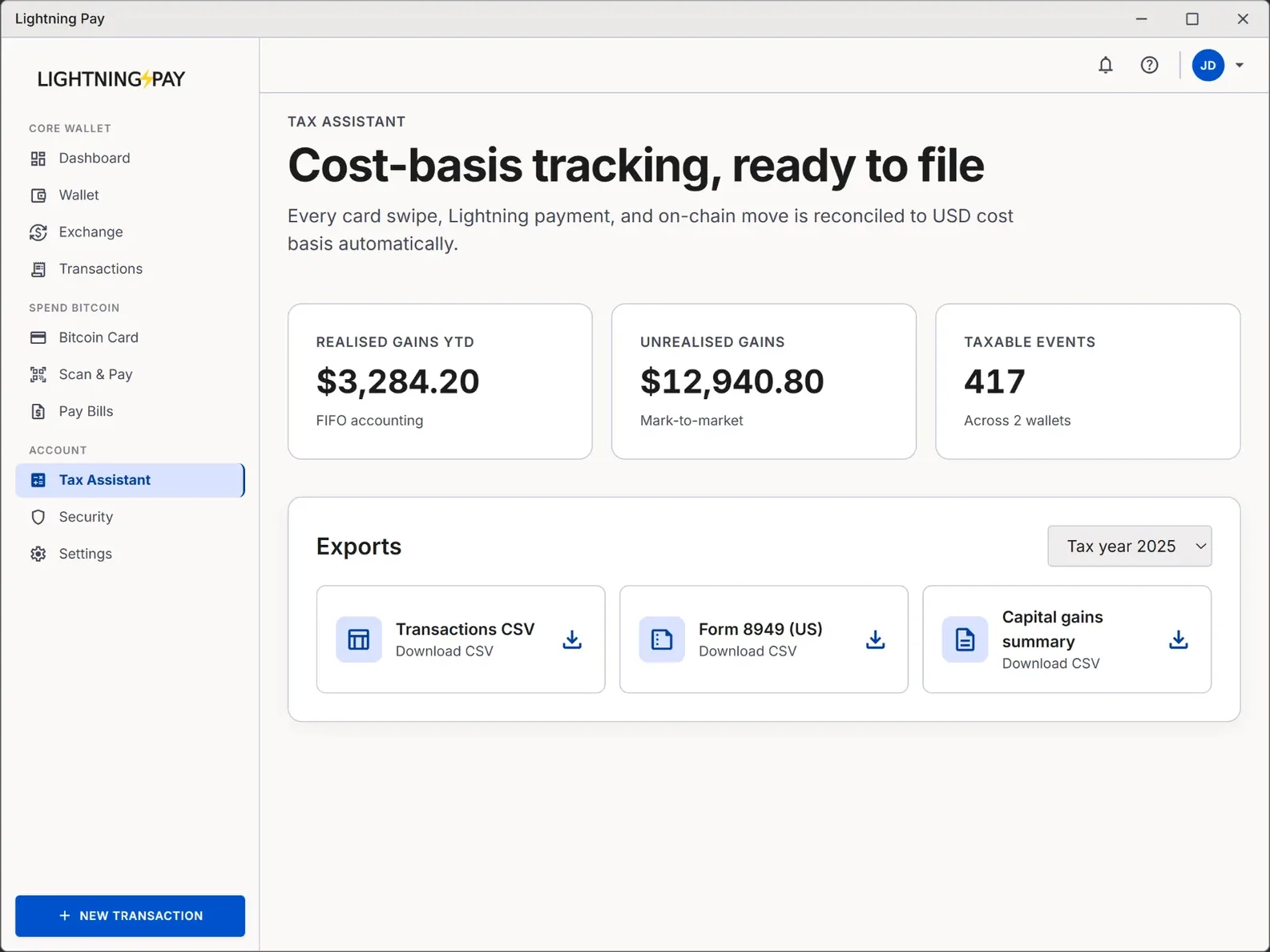
Every Bitcoin buy, sell, swap and Lightning payment can be a taxable event. Most wallets dump that problem on you — usually at 11pm on April 14. Lightning Pay's Tax Assistant logs cost basis on every transaction as it happens, calculates short- and long-term gains, and exports a report your accountant (or Koinly, CoinTracker, TurboTax) can ingest in one click.
Not tax advice
Tax Assistant gives you the numbers and the audit trail. Confirm jurisdiction-specific treatment with a qualified tax professional.02
What it tracks automatically
On-ramp buys
MoonPay and Strike buys logged with USD cost basis at the second of purchase.
Sells & off-ramps
Proceeds, basis, gain/loss — calculated against your chosen lot method.
Lightning payments
Sends and receives logged with the fiat exchange rate at the moment they settled.
BTC ↔ USDC swaps
Each swap is a disposal. Tax Assistant records both legs and the realized gain.
Bill pay & merchant spend
Treated as disposals at fair market value, including BitPay rail spends.
External transfers
Mark as gift, income, transfer-in or transfer-out for correct treatment.
03
Reports and exports
Every report Tax Assistant can generate (free, included in the wallet)
| Report | Format | Use case |
|---|---|---|
| Year-end summary | Send to your accountant | |
| IRS Form 8949 (US) | CSV | Ready-to-file capital gains schedule |
| Koinly / CoinTracker | CSV | Drop-in import to third-party software |
| TurboTax | CSV | Bulk import into TurboTax Premier |
| HMRC capital gains (UK) | CSV | Self-assessment supporting schedule |
| Custom date range | CSV/PDF | Quarterly estimated payments |
| Lot inventory | CSV | Audit trail per UTXO / lot |
04
Lot methods supported
- FIFO
- First-In, First-Out — IRS default for US filers
- LIFO
- Last-In, First-Out — useful in rising markets
- HIFO
- Highest-In, First-Out — minimises gains in most scenarios
- Specific ID
- Pick the exact lot to dispose for any sale or spend
05
Why a wallet-native tax tool beats Koinly et al.
| Friction point | Third-party tax tools | Lightning Pay Tax Assistant |
|---|---|---|
| Lightning visibility | Often missed — no block explorer | Native |
| API/CSV imports | Per wallet & exchange, breaks often | Zero imports |
| Exchange rate at TX time | Re-fetched (sometimes wrong) | Baked in at the second |
| Price | $50–$500/year | Free |
| Where data lives | Their cloud | Local on your device |
06
Your April workflow with Tax Assistant
- 1
Open Tax Assistant
Settings → Tax. Pick the tax year. - 2
Review flagged items
Self-transfers and gifts may need a one-tap label. - 3
Pick your lot method
FIFO, LIFO, HIFO or Specific ID — Tax Assistant recomputes instantly. - 4
Export your report
Form 8949, Koinly CSV, or PDF summary. Email to your accountant or upload to TurboTax. - 5
Archive the audit trail
Full lot-level CSV stored locally for the 7-year IRS retention window.
07
Tax Assistant FAQ
Ready to own your Bitcoin?
Lightning Pay is free, open source, and non-custodial. Your keys never leave your device.